Google Business Profile for accommodation: eligibility and setup

Kyros Kyros | MyStaySite
April 21, 2026
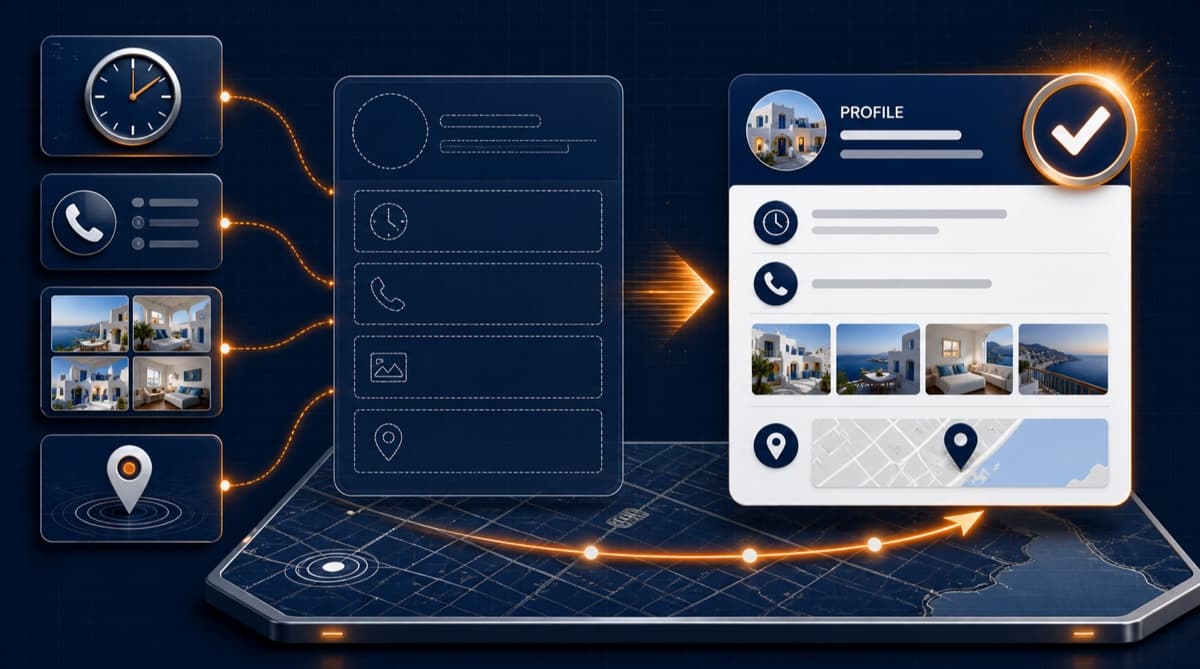
Google Business Profile can help an eligible accommodation business present its contact details, photos and website in Search and Maps. It is not available to every property owner.
First: is your property eligible?
Google explicitly excludes rental properties such as individual holiday homes, model homes and vacant apartments. Hotels and other qualifying accommodation businesses may be eligible; a genuine sales or leasing office is a separate case. A holiday rental does not become eligible just by choosing “Hotel” or “Vacation home rental agency” as its category. Google business eligibility rules
If you operate an individual holiday rental, focus on your own website and appropriate distribution channels. Google's vacation-rental travel listings are a separate product from Business Profile; do not create a misleading profile to gain a map listing.
The setup steps below apply only after eligibility is established.
This guide is written in plain language, no technical jargon. If you manage your property yourself and want to understand what you're doing and why, you're in the right place. For the bigger SEO picture, see our SEO guide for vacation rentals.
What is a Google Business Profile, and why should I care
Your Google Business Profile (GBP for short) is your business's official listing on Google. It appears next to the search results or on the map, with your name, address, phone number, photos, hours, reviews, and a link to your website.
For an eligible accommodation business, a profile complements the website. It provides a place for guests to check details and contact you; it does not guarantee a search position or reservation.
Verification lets eligible owners manage a listing. It is not a way around Google's eligibility rules.
Local SEO: what it has to do with your property
Local SEO simply means showing up when someone searches for something in your area. Google wants to surface results that match both the location and what you actually offer.
Google explains local results primarily through relevance, distance and prominence. Keep information complete and accurate; neither a posting schedule nor keywords in review replies guarantee a higher position. Google local ranking guidance
Note: the old name Google My Business (whether for a hotel or a rooms-to-let) refers to the same thing. Today the official name is Google Business Profile.
Step by step: setting up your profile from scratch
1. Create your account
Open business.google.com on your computer or phone. Sign in with the Google account you want to use for the property (ideally a stable one, not a personal email you might change).
Click to add your business. Enter your official business name exactly as you want the world to see it. Don't stuff the name with keywords that aren't part of your actual brand. Google treats this as a violation and may correct the name.
2. Category and subcategories
Choose the primary category that best describes what you are: hotel, guest rooms, bed and breakfast, depending on the options in the menu. Then add additional categories if they fit. The right category helps Google show you in relevant searches.
3. Address and service area
Enter your exact address if you welcome guests there. If your property is in a remote spot, make sure the map pin sits precisely on the right location. Guests searching on Maps want to find your entrance, not drive in circles.
4. Phone, website, hours
Add the authoritative phone number and website address for the business. Complete the fields offered for your business type accurately. Do not use “open 24 hours” as a substitute for the correct check-in or seasonal information.
5. Verification
Google chooses the available verification methods for each profile; you cannot assume a postcard will be offered. Follow the options shown, which may include video, phone, email or mail, and provide accurate evidence. Google verification guidance
Optimization: photos, description, details
Photos
Upload plenty of good photos: the exterior, common areas, rooms, the view, the bathroom, breakfast if you serve it. Refresh the album now and then with images from different seasons. Travelers decide with their eyes before they read a word.
Description
In your business description, explain in plain English what you offer, where you're located, and why guests should choose you. One or two paragraphs is enough. Natural language, not a list of keywords repeated for no reason.
Attributes and Q&A
Fill in every field the menu offers: parking, Wi-Fi, wheelchair access, pets, and so on. The more complete your listing, the more useful it is for guests and for Google's search system.
Google reviews: why they matter and how to collect them
Reviews build trust and shape how travelers see you on your profile. Never buy fake reviews. Instead, invite guests consistently to leave an honest review after their stay, without incentives or selecting only those expected to be positive.
For more practical ideas, see our guide on how to get more Google reviews. Reply to every review, thank guests for the positive ones, and respond calmly to the negative ones.
Posts and updates
Use the post types available to your business category for useful updates, with accurate dates. Features and restrictions vary; do not assume every hotel profile supports every offer type. A posting schedule is not a ranking guarantee.
Connecting your website
Add the correct link to your website in your profile. If you have a booking or contact page, that's often the best destination for clicks. Your website and your profile should show the same core details: name, address, phone. Inconsistency confuses guests and hurts how you look online.
Want to avoid the mistakes we see Greek properties make again and again? Take a look at 5 mistakes Greek vacation rentals make online.
The bottom line
For an eligible business, Google Business Profile is a useful free listing. Check eligibility first, then keep details accurate and guest feedback genuine. For an individual holiday rental, a clear website and appropriate listing channels remain the practical starting point.
Want a website that works hand in hand with Google?
A professional website, fast and clean, helps guests book directly with you and reinforces everything you do with SEO and your Business Profile. At MyStaySite, you provide the photos and Kyros handles the website setup and ongoing management within the agreed scope.
See examples of our work and get in touch when you're ready to discuss your own project. We're here to help you look the way you deserve, from Google all the way down to the last detail of your online presence.
Already have a site? Run a free website check to see what can be improved right away.
Frequently asked questions
What is Google Business Profile?+
A free business listing that appears in Google Search and Google Maps when someone searches your name or accommodation in your area. It includes photos, contact details, reviews, and a link to your website.
Are Google My Business and Google Business Profile the same thing?+
Yes, it is the renamed service. Eligibility still matters: individual holiday homes and rental properties are not eligible; qualifying accommodation businesses can be.
How much does Google Business Profile cost?+
Nothing, it's completely free. It only takes time to set up properly: verification, photos, description, hours, and systematic review collection.
How do I rank higher on Google Maps?+
Google uses relevance, distance and prominence. Keep eligible profiles accurate and complete, collect genuine reviews without incentives and avoid promises of a fixed position.
Already have a site? See how it is doing.
Get a free technical check of your website, without sharing your email. If you do not have a site or would rather talk it through, send me just your property name.
See the work in practice
Explore real property websites I have builtGet the 10-mistakes guide + 1 practical tip every month
The guide 9 out of 10 Greek vacation rentals need, plus one short email a month with practical tips for winning more direct bookings. No spam. Unsubscribe anytime.
- 10 common mistakes + 10 concrete fixes
- 1 short email a month with new case studies
- No spam. Unsubscribe with one click.
Related articles

How to Get Your Property Found on ChatGPT: A Practical Guide
Ask ChatGPT the question a guest would ask about your area and see what it answers today. Where it reads about a property, what you can check yourself and what I handle.
How to get your vacation rental on Google (beginner SEO guide)
A step-by-step SEO guide for vacation rental owners who want to show up when travelers search Google. No jargon, no marketing degree required.
How to Respond to Negative Reviews: A Guide with Ready Templates for Accommodations
89% of travelers say a thoughtful response to a negative review improves their impression of a business. A 5-step guide with ready templates for Google, Booking, and Airbnb.